Beneficiary
Identity
Management
Service
BIMS provides identity services for TETFund Beneficiaries accessing various services sponsored by TETFund.

Approved
BIMS provides identity services for TETFund Beneficiaries accessing various services sponsored by TETFund.
BIMS implements OAuth 2.0, an open standard for Authentication, enabling single sign-on to TETFund services available to beneficiaries.
Use of BIMS is limited to applications in the Tertiary education space with approval from TETFund. To get started using BIMS in your application, click on Get Started.
Get Started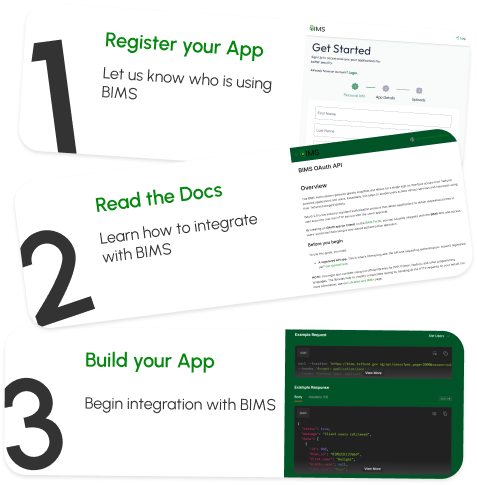
Access all these platforms with a single BIMS account
Course Content Aggregation, Project Collaboration and Venture Incubation applica...
Access ServiceGet to manage all your data and configuration in one place.
Share your identity with other applications in a fast and secured manner.
Track all your activities and progress on our dashboard.
One time registration and data capture, for multiple services.
Seamless authentication and authorization securely driven by OAuth2.
Verified once on BIMS, Verified Everywhere!
BIMS provides identity services for TETFund beneficiaries accessing various services sponsored by TETFund.

Our Partners


Here is a list of carefully compiled list of popular questions and answers users have had while using BIMS..
You can reset your password by clicking on the "Forgot Password" link on the login page. Follow the instructions sent to your registered email address.
This usually happens due to an expired session or cookie issues. Try refreshing the page, clearing your browser cache, or ensuring that cookies are enabled in your browser settings.
To upload institution data, you need administrative privileges. Navigate to the "Data Management" section on the dashboard and follow the step-by-step upload guide provided.